Microsoft Dynamics 365 Project Management provides seamless, end-to-end project management right inside Dynamics 365.
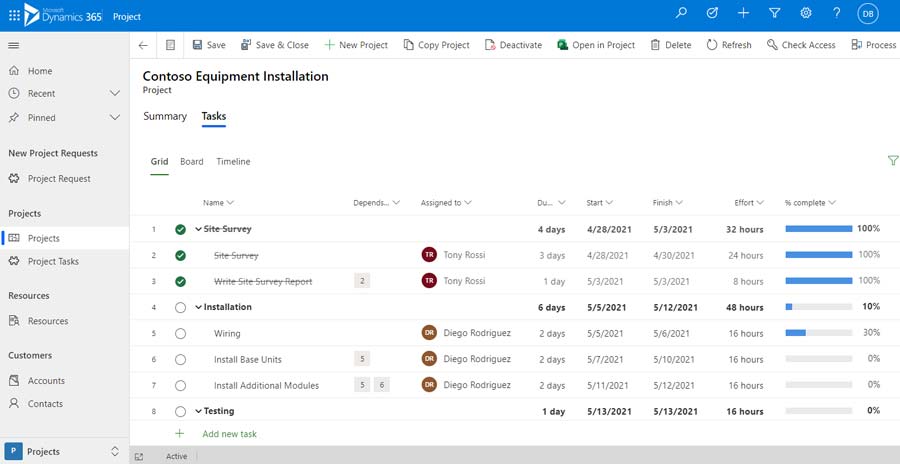
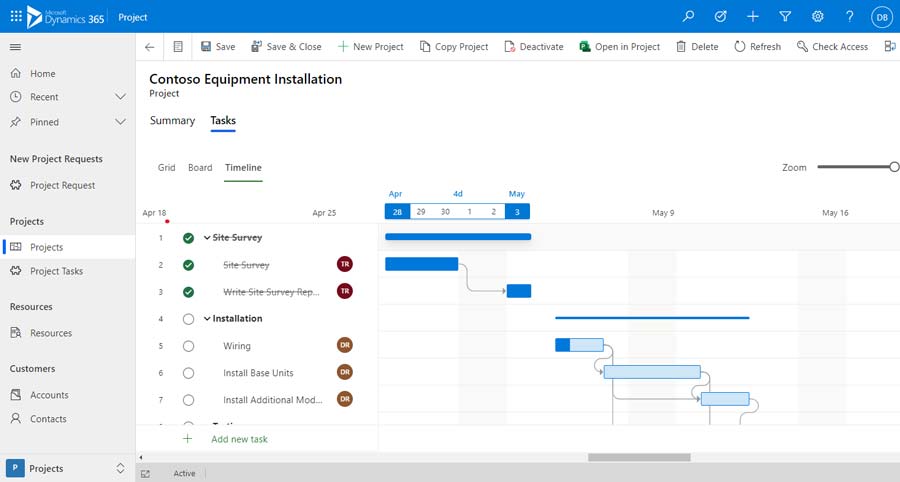
Track estimates and budget, team members (internal and external), full work breakdown structure with Gantt charting and more. Your team members can work in either Dynamics 365 or Microsoft Teams.
Powered by Microsoft Project
All the tools your Project Managers and Resources Need in One Solution
Seamless Transition from Sales to Delivery
Convert Sales Opportunities into Projects
Deliver Projects On-Time and On-Budget
Powerful budget and timeline management
Resource Management
Manage internal and external/contract resources
Agility
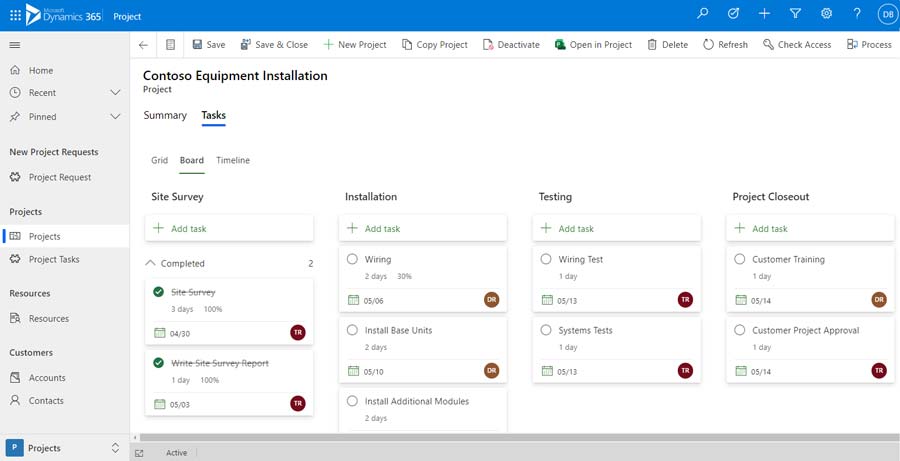
Manage agile projects with visual task boards that support Scrum & Kanban
Manage Project Estimates/Budgets
Stay within budget
Out-of-Box Analysis
Over 30 dashboards included.
Manage Projects from Start to Success
Full Project Management
Manage all aspects of a project right within Dynamics 365. Improve communication and collaboration across your teams and deliver projects on-time and on-budget.
Optimize Resources
Properly managing resources is at the heart of project management and can determine success or failure. Manage internal, contract, equipment and custom resources.
Track Project Profitability
Real-time visibility into budgets and estimates along with point-in-time consumption keeps the entire team informed. Automated alerts can notify users automatically when thresholds are crossed.
Increase Productivity
One application providing end-to-end project management will make your team more productive. No more switching applications and exporting/importing data. It’s all in Dynamics 365.
Integration with Microsoft Project Web
Full integration with Microsoft Project Web allows users to work in Dynamics 365, Microsoft Teams or, Project Web in any browser.
Visibility & Insights
Real-time dashboards, alerts and powerful reporting capabilities assure you are always informed.
Full Project Management
One place to manage all your projects. At-a-glance project status lets Project Managers and resources review project status including due dates, budget, actuals and more.
Powerful dashboards make the data come to life. Drill down capabilities let you start at a high level and drill down into detail.
Manage the Team, Tasks and Time Accounting
Add internal or contract resources to projects and expertly manage tasks and time accounting.
Manage the Team, Tasks and Time Accounting
Add internal or contract resources to projects and expertly manage tasks and time accounting.
Project Resource Management
Full resource management including
Internal (users)
Contract Resources
Equipment (Tools, vehicles…)
Custom resource types
Collaborate in Microsoft Teams
Have users who don’t use Dynamics 365? We got this…
Teams users can create projects and manage open projects without leaving their Team app.
Stay on top of project tasks, milestones, budgets and timelines.
*Teams and Dynamics 365 Project Management user subscription licensing required. See pricing below.
Collaborate in Microsoft Teams
Have users who don’t use Dynamics 365? We got this…
Teams users can create projects and manage open projects without leaving their Team app.
Stay on top of project tasks, milestones, budgets and timelines.
*Teams and Dynamics 365 Project Management user subscription licensing required. See pricing below.
Over 30 Dashboards Included
Analyze projects using built-in library of over 30 interactive dashboards and reports.
Requires Power BI Professional licensing ($10 per user/month). Purchased separately.
Requires Power BI Pro user subscription licensing ($10 user/month)
Affordable Pricing
Professional
for Project Managers & Resources
$
69
99
Per User/Month
Create & Manage Projects
Microsoft Teams Integration
Project Planning & Scheduling
Built-in Library of Dashboars & Reports
Timesheet Submission
Resource Management
Includes Power-CRM & Microsoft Project Licenses
Professional +
for Project Managers
$
89
99
Per User/Month
Create & Manage Projects
Microsoft Teams Integration
Project Planning & Scheduling
Built-in Library of Dashboars & Reports
Timesheet Submission
Resource Management
Includes Power-CRM & Microsoft Project Licenses
Demand Management
Resource Planning & Management
Dynamics 365 Pro or Enterprise Licensing Required for Project Managers, Team Member or Pro required for project team members/resources. Teams users who will manage projects from Microsoft Teams only require Teams and one of the Project Management licenses on this page.
Ready to see a live demonstration?
Let our experts show you how Microsoft Dynamics 365 Project Management can help your business